Best PDF Apps for Mobile in 2026 (Complete Guide to Read, Edit, and Manage PDF Files Easily)
Technology
Featured Snippet (Quick Answer)
The best PDF apps for mobile in 2026 allow you to read, edit, sign, and convert PDF files بسهولة مباشرة من الهاتف. Top options include apps like Adobe Acrobat Reader, Foxit PDF Editor, and Xodo PDF Reader, which offer powerful features such as OCR, annotation, and cloud sync without needing a computer.
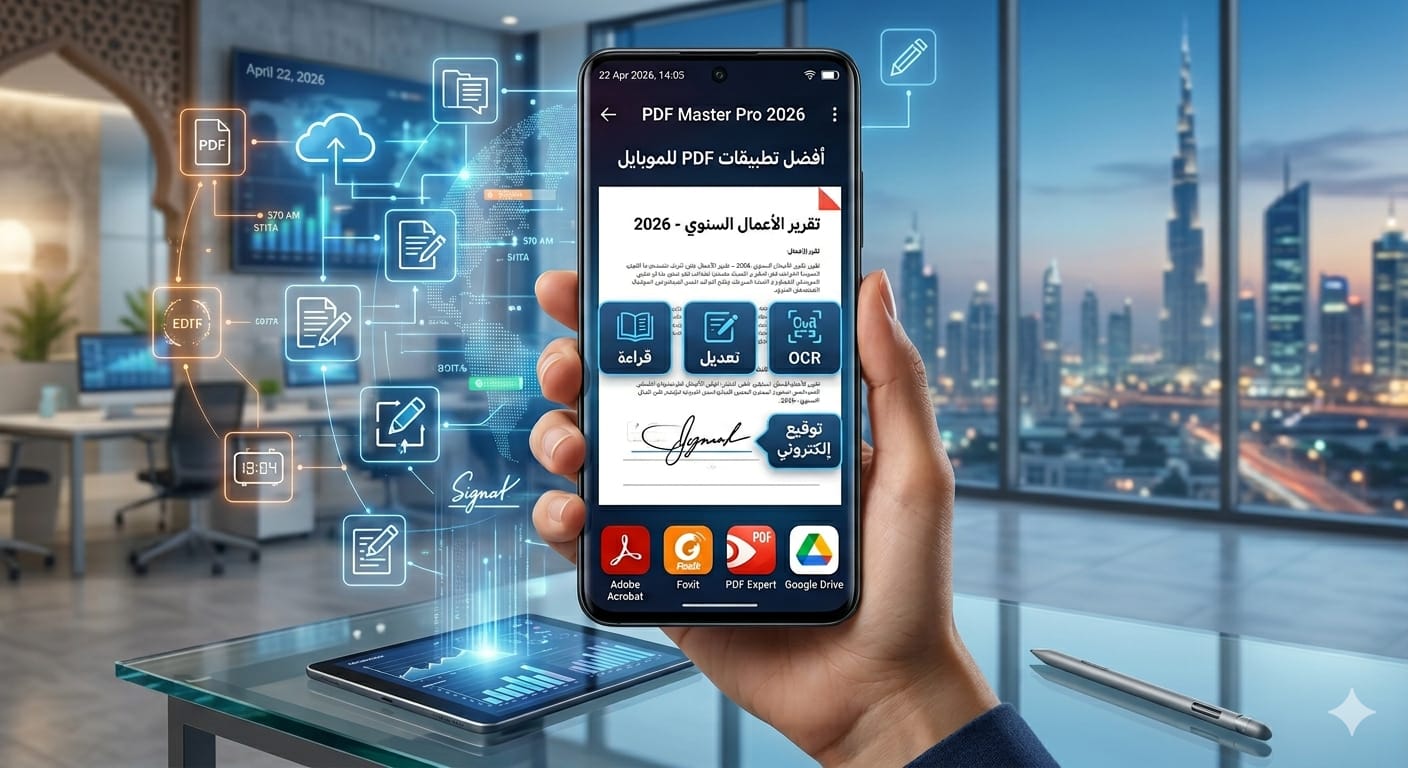
In 2026, smartphones have become the primary productivity tool for millions of users worldwide. Whether you're a student, freelancer, or business owner, managing documents on your phone is no longer optional—it's essential.
PDF files dominate digital communication because they preserve formatting across devices. This makes having a reliable PDF mobile app critical for reading, editing, signing, and sharing documents efficiently.
This guide will walk you through everything—from basic understanding to advanced tools—so you can choose the best PDF app for your real-world needs.
A PDF app is software designed to open, read, edit, and manage PDF documents on smartphones or tablets. In modern applications, these tools go far beyond simple reading.
They now support advanced features such as editing text, inserting images, converting file formats, and even applying digital signatures.
The evolution of PDF apps means you can now perform tasks that once required a desktop computer entirely from your phone.
The first essential feature is fast PDF viewing with smooth navigation between pages. This is especially important for large documents like eBooks or reports.
Another core feature is annotation, which allows users to highlight text, add comments, and mark important sections for later reference.
Additionally, most modern apps support file sharing, making it easy to send documents instantly via email or cloud storage.
Advanced PDF apps include OCR (Optical Character Recognition), which converts scanned images into editable text. This is a game-changer for productivity.
Cloud integration is another critical feature, allowing seamless syncing between devices using services like Google Drive or Dropbox.
Some apps also provide AI-powered tools that suggest edits, summarize content, or optimize documents automatically.
Using a high-quality PDF app saves time by eliminating the need to switch between devices. You can open, edit, and send documents instantly.
It also improves productivity, especially for professionals who deal with contracts, reports, or presentations regularly.
Finally, mobility is the biggest advantage—you can work from anywhere without being tied to a computer.
This is one of the most powerful and widely used PDF apps globally. It offers reading, editing, signing, and cloud syncing in one platform.
It supports advanced features like OCR, form filling, and password protection, making it ideal for professionals.
While some features are paid, the free version is still highly functional for everyday use.
Foxit is known for its speed and lightweight performance. It provides strong editing tools without consuming too many device resources.
It includes annotation, document signing, and file conversion features, making it a great alternative to heavier apps.
Foxit is especially محبوب among users who want a balance between performance and functionality.
Xodo is a completely free PDF app that offers powerful features without watermarks or limitations.
It supports real-time collaboration, allowing multiple users to work on the same document simultaneously.
Its clean interface makes it ideal for beginners who want simplicity without sacrificing features.
WPS Office combines PDF tools with a full office suite, making it a versatile solution for mobile productivity.
It allows editing, converting, and annotating PDFs alongside Word, Excel, and PowerPoint files.
This makes it perfect for users who want an all-in-one productivity app.
PDF Expert is a premium app designed mainly for iOS users. It offers a smooth and fast editing experience.
Its interface is highly optimized for touch devices, making navigation and editing intuitive.
It is ideal for professionals who need high performance and reliability.
| App | Features | Ease of Use | Best For |
| Adobe Acrobat | Advanced | Medium | Professionals |
| Foxit | Balanced | Easy | Daily use |
| Xodo | Free & powerful | Very Easy | Beginners |
| WPS Office | All-in-one | Easy | Students |
| PDF Expert | Premium | Easy | iOS users |
Choosing the right app depends on your needs. If you only need to read files, a lightweight app like Xodo is enough.
If you need editing and advanced tools, Adobe Acrobat or Foxit are better choices.
For full productivity, apps like WPS Office provide the best value.
This usually happens with large files or poorly optimized apps. Using lightweight apps can solve this issue.
Some apps may distort formatting when editing. Choosing apps with “preserve formatting” support is crucial.
If the file is scanned, you need OCR-enabled apps to convert it into editable text.
OCR allows you to convert images or scanned PDFs into editable text.
This is essential for students and professionals who work with scanned documents.
Without OCR, editing such files would be nearly impossible.
Students use PDF apps to read textbooks and highlight important sections.
Professionals use them to sign contracts and manage documents.
Freelancers rely on them to edit and send files quickly to clients.
Can I edit PDF on mobile?
Yes, modern PDF apps allow full editing including text, images, and annotations.
Are free PDF apps safe?
Yes, if you use trusted apps like Adobe Acrobat or Xodo.
Which app is best for beginners?
Xodo is one of the easiest apps to start with.
The best PDF app for mobile in 2026 depends on your needs, but the key is choosing an app that combines speed, usability, and powerful features.
If you want reliability, go with Adobe Acrobat. If you want simplicity, choose Xodo. If you want an all-in-one solution, WPS Office is a strong option.
Ultimately, the right app will transform your phone into a complete document management system.