Online Appointment Booking System: Comprehensive Guide to Building a Successful Project 2026
Education
Introduction
Online appointment booking systems have become essential for modern businesses, whether medical clinics, beauty salons, service companies, or universities. They allow clients to book appointments without phone calls, reduce human errors, and provide accurate schedule management.
Developing an online appointment booking system is an excellent graduation project because it is:
- Practical and easy to implement within 2–3 months
- Demonstrates student skills in programming, data analysis, and database design
- Scalable with advanced features like online payments or AI integration
In this guide, we will cover:
- Project idea and objectives
- Step-by-step implementation
- Required technologies
- Strengths and weaknesses
- Expansion ideas and commercial potential
- SEO optimization, keyword strategy, Cluster Content, and Schema Markup

Importance of an Online Appointment Booking System
- Saves time and effort: Allows clients to book appointments easily without repeated phone calls.
- Accurate schedule management: Admins can track and update all appointments easily.
- Reduces errors: Prevents double bookings and human mistakes.
- Performance analytics: Generates detailed reports on bookings, popular services, and peak hours.
- Practical experience for students: Hands-on exposure to Frontend, Backend, and Database Management.
Step-by-Step Implementation of the Online Appointment Booking System
1. Requirement Analysis
- Identify the type of business: clinic, salon, or service company.
- Define the services that clients can book.
- Determine target users: clients, students, or employees.
- Choose platform type: web, mobile, or both.
2. UI/UX Design
- Booking Page: Select service, date, and available time.
- Admin Dashboard: Manage appointments, services, and users.
- Appointments Page: Show upcoming and past appointments with edit/delete options.
- Notification Interface: Reminders sent ahead of appointment time.
- Responsive Design: Optimized for both web and mobile devices.
3. Database Design
A robust database is essential for managing users, appointments, and notifications.
Example in MySQL:
CREATE TABLE Users (
id INT PRIMARY KEY AUTO_INCREMENT,
name VARCHAR(100),
email VARCHAR(100) UNIQUE,
phone VARCHAR(15),
role ENUM('admin','client') DEFAULT 'client'
);
CREATE TABLE Services (
id INT PRIMARY KEY AUTO_INCREMENT,
service_name VARCHAR(255),
duration INT,
price DECIMAL(10,2)
);
CREATE TABLE Appointments (
id INT PRIMARY KEY AUTO_INCREMENT,
user_id INT,
service_id INT,
appointment_date DATETIME,
status ENUM('pending','confirmed','completed','cancelled') DEFAULT 'pending',
FOREIGN KEY(user_id) REFERENCES Users(id),
FOREIGN KEY(service_id) REFERENCES Services(id)
);
CREATE TABLE Notifications (
id INT PRIMARY KEY AUTO_INCREMENT,
appointment_id INT,
notification_time DATETIME,
status ENUM('sent','pending') DEFAULT 'pending',
FOREIGN KEY(appointment_id) REFERENCES Appointments(id)
);
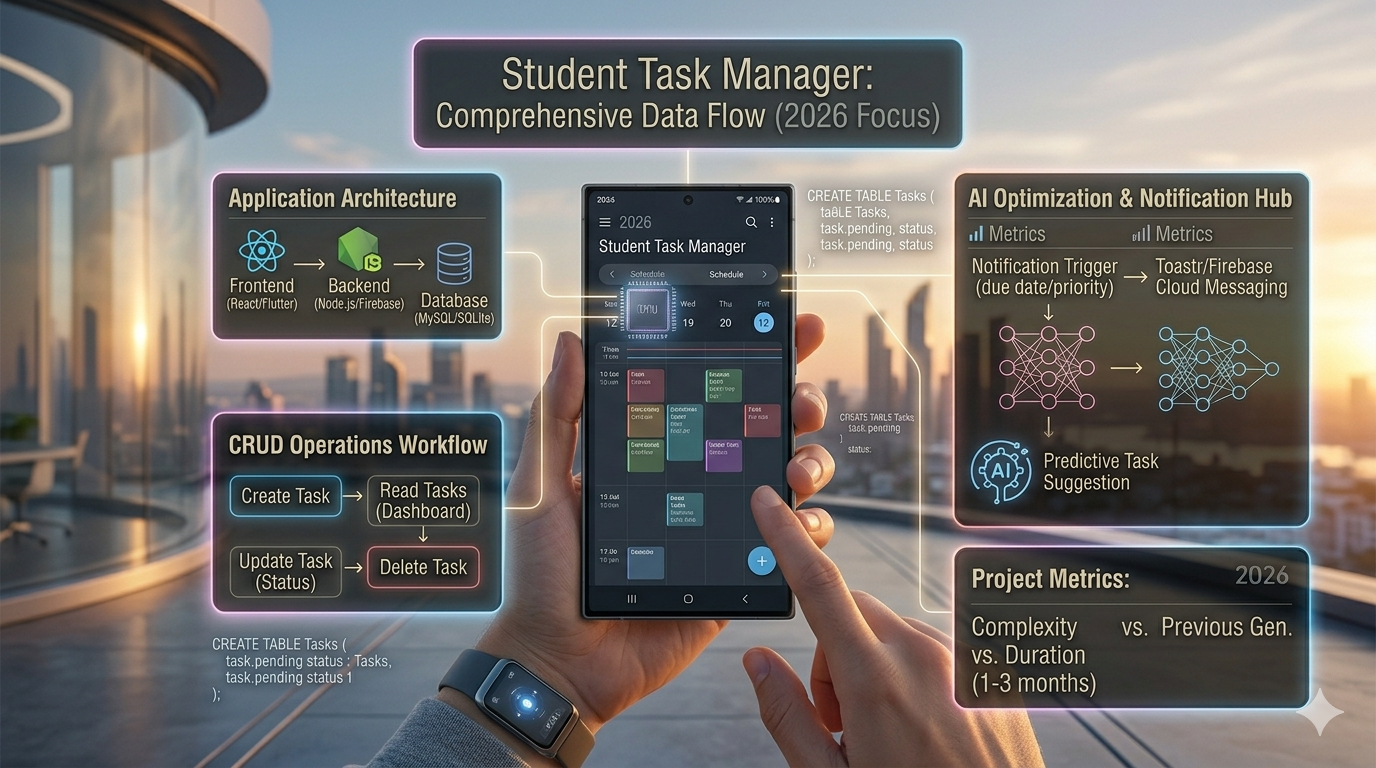
4. Backend Development
- Use PHP/Laravel or Node.js/Express.
- Implement CRUD Operations:
- Create: Add new appointment
- Read: Display appointment list
- Update: Edit or confirm appointments
- Delete: Cancel appointments
- Send notifications via Firebase or email.
- Manage user roles (Admin vs Client).
5. Frontend Development
- HTML, CSS, JS, Bootstrap for a responsive interface.
- Display appointments in tables or cards.
- Use Charts.js to visualize appointment data and analytics.
- Implement drag-and-drop functionality for easy rescheduling.
6. Notification Integration
- Firebase Cloud Messaging or Toastr.js for reminders.
- Send daily or hourly notifications before appointments.
- Send confirmation after booking.
7. Testing
- Test CRUD operations for all data.
- Validate notification delivery on multiple devices.
- Ensure responsive UI on both mobile and desktop.
- Test performance with large appointment datasets.
8. Documentation
- Write detailed project documentation including:
- Workflow diagrams
- Used technologies
- Challenges and solutions
- Screenshots
- Database queries
Required Technologies
Layer | Technology |
Frontend | HTML, CSS, JS, Bootstrap |
Backend | PHP, Laravel, Node.js, Express |
Database | MySQL / SQLite |
Notifications | Firebase, Toastr |
Optional AI | Python, TensorFlow, ML algorithms |
Strengths and Weaknesses
Strengths | Weaknesses |
Easy to use | Requires database maintenance |
Scalable for future AI | Notification setup can be complex |
Enhances user experience | Performance testing needed across devices |
Accurate appointment management | Payment integration requires expertise |
Expandable | Relies on internet connection |
Expansion Ideas
- Add online payment integration via PayPal / Stripe.
- Develop mobile apps using Flutter / React Native.
- Integrate AI for intelligent appointment suggestions based on user behavior.
- Send weekly/monthly performance reports to admins.
- Integrate with Google Calendar or Microsoft Teams.
Featured Snippet
Best Online Appointment Booking System:
A platform that allows clients to book appointments easily, track them, receive automatic reminders, and optionally integrate AI for smart suggestions. It provides a seamless experience and increases administrative efficiency.
People Also Ask (PAA)
What is the best graduation project for students?
- An online appointment booking system is an easy-to-implement, practical, and highly valuable project.
How long does it take to implement the project?
- Typically 2–3 months with proper planning.
Can the system be turned into a commercial product?
- Yes, it can be developed into a full-fledged commercial appointment management app for businesses, clinics, or salons.
Conclusion
The Online Appointment Booking System graduation project is:
- Easy to implement and cost-effective
- Completable in 2–3 months
- Provides hands-on experience in application design and database management
- Scalable to a commercial system or AI-enhanced booking solution